


VoxEngine MCP Client
Flexible MCP Interaction
Connect Voice AI agents to the tools they need to act
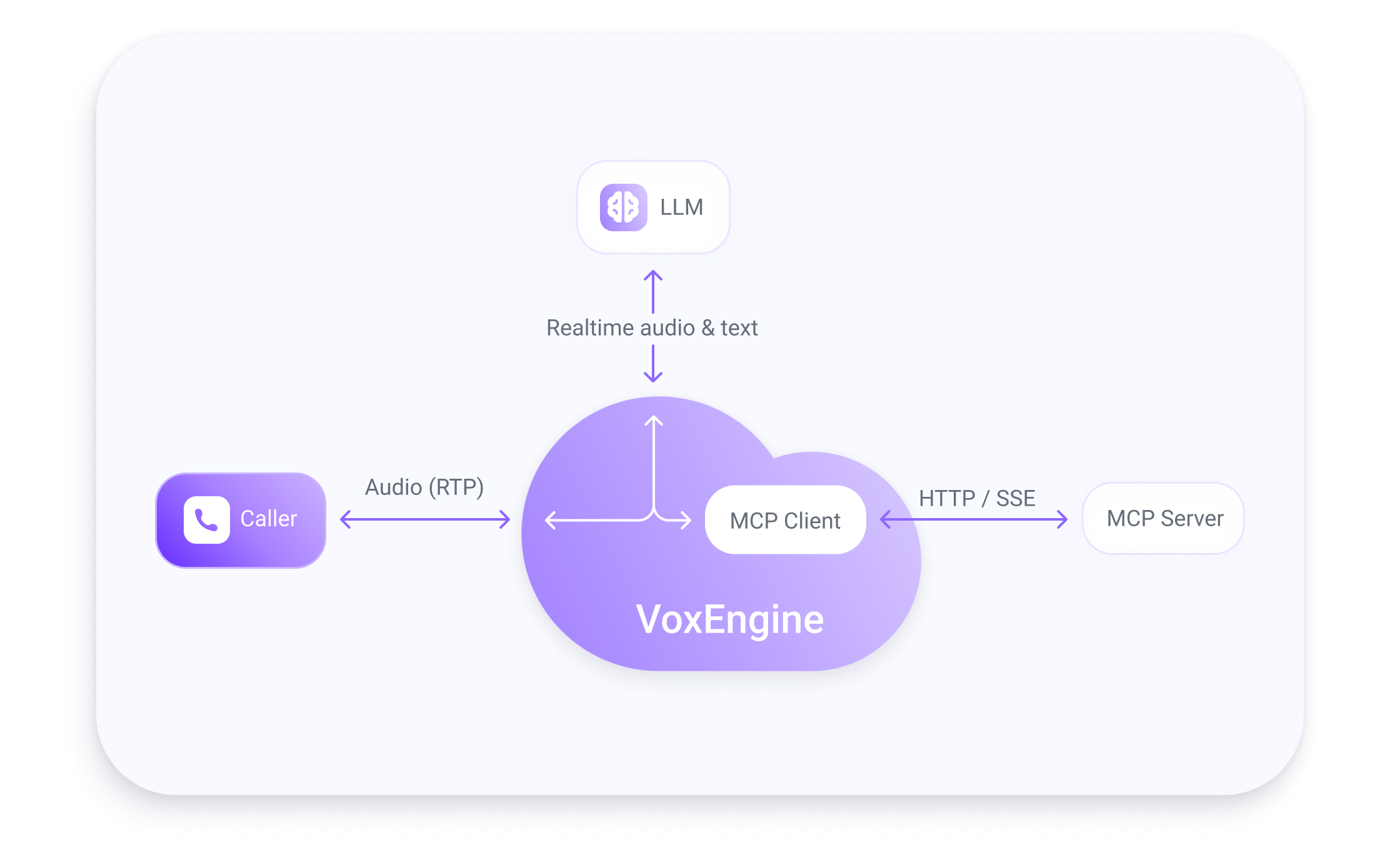
MCP is a popular interface for connecting to hundreds of external business systems, such as CRM, ticketing, workflow automation and many others. The MCP Client runs natively inside Voximplant to instantly implement and control MCP interactions.
One, consistent integration for every Voice AI
Validate and adjust every tool interaction
No separate MCP gateway to run and maintain
Connect live voice conversations to external business systems through native MCP orchestration you can control and audit.

Connect Voice AI applications directly to MCP servers from Voximplant.

Keep tool integrations independent from any single model, agent platform, or AI provider.

Inspect, validate, enrich, and gate tool calls before they reach external systems.

Pass telephony and session context into tool workflows for more accurate real-time automation.

Remove extra MCP gateways, custom middleware, and extra network hops.

Track tool results, errors, connection events, statistics, and traces.
Connect live conversations to external systems so agents can look up information, trigger workflows, and complete tasks while consolidating orchestration logic.

Let agents access CRMs, ticketing platforms, calendars, databases, and internal APIs during live calls.

Create tickets, schedule appointments, update records, or trigger workflows before the conversation ends.

Use a standard MCP client interface with any Voice AI provider rather than relying on specific implementations.

Apply privacy rules, review tool activity, and keep clearer audit trails for Voice AI workflows that interact with external systems.
Interested in learning more? Our team is ready to discuss your specific needs and help elevate your customer interactions.
Learn more about Model Context Protocol, MCP Clients, and Voximplant’s MCP Client implementation.