




Introducing VoxImplant Cookbook
We are going to provide ready-to-use VoxEngine scenarios, How To's and screencasts.
 2014-06-26
 148449
We are going to provide ready-to-use VoxEngine scenarios, How To's and screencasts.
2014-06-26148449
HTTP API is now available to implement scenarios which don't require client applications.
2013-10-02173933

How Jev and other decision models help LLM voice bots with topic routing, turn detection, barge-in, form filling, action checks and model choice.
2026-10-15466
Voximplant now includes a native Grok module that connects any Voximplant call to xAI’s Grok Voice Agent API for real-time, speech-to-speech conversations. With a single VoxEngine scenario, you can interact via audio with Grok over phone numbers, SIP trunks and infrastructure, WhatsApp Business, or WebRTC into Grok — all without building custom media gateways or WebSocket streaming infrastructure.
2026-01-1427545
Agentic VoiceDSP handles turn-taking for voice agents on your own STT, LLM and TTS: pauses, interruptions, silence and noisy lines, right inside Voximplant.
2026-10-05572
Voximplant has new realtime speech generation for voice AI from Inworld, our latest Voice AI text-to-speech (TTS) partner. Together, we combine state-of-the-art TTS with carrier-grade connectivity so you can build voice agents that sound like your brand, not a generic robot.
2025-12-0822331
A practical guide to running a compliant voice AI stack on Voximplant: EU data residency, compliance documentation, and what to verify at each layer — telephony, LLM, STT, and TTS
2026-08-067077
Voximplant now includes a native MCP Client for VoxEngine, giving developers direct connectivity to any MCP server and full control over every tool call
2026-06-038036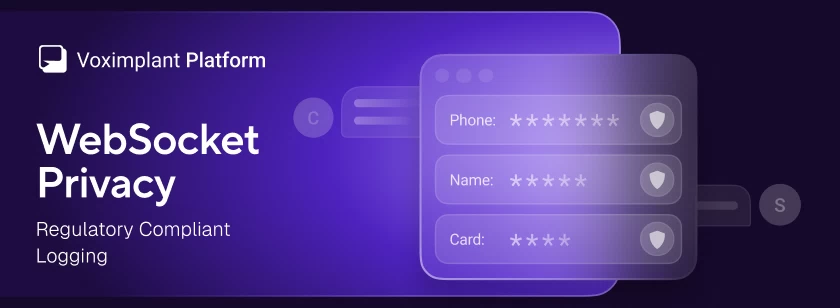
Voximplant has added a WebSocket privacy option that redacts message payloads from logs across all WebSocket-based services – Voice AI connectors and external speech system – and speech control modules
2026-04-238170
Voximplant now includes a native Cartesia Line / Agents connector that connects any Voximplant call to a Cartesia Line voice agent for real-time, speech-to-speech conversations—over PSTN, SIP, WebRTC, or WhatsApp Business Calling—without building custom media gateways or WebSocket streaming infrastructure.
2026-02-1114540